Tiny11 Builder GUI Simplifies Custom Windows Installations
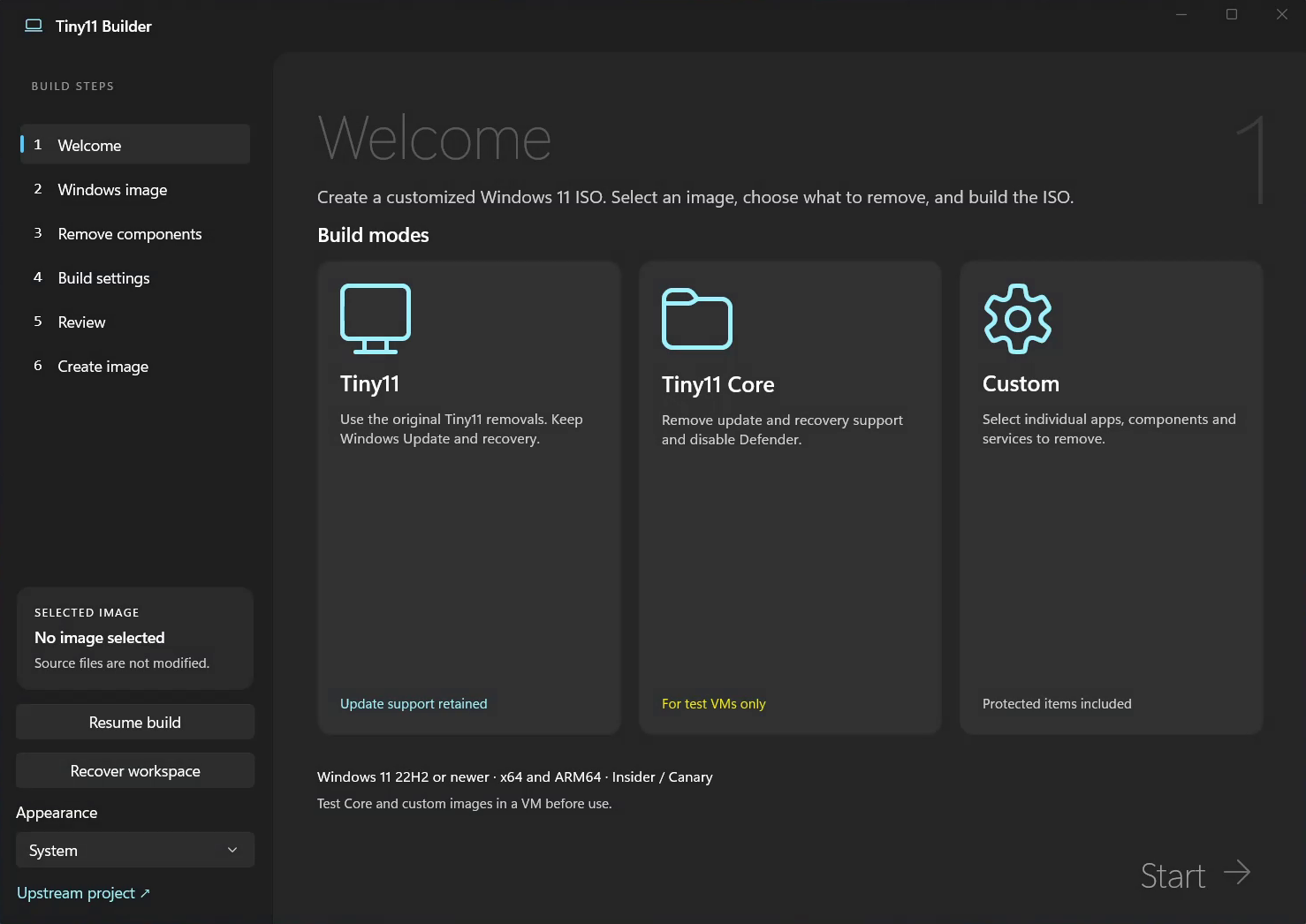
Crafting a lightweight Windows 11 installation no longer requires complex PowerShell commands or tedious manual scripting. Instead, the developer unveiled the Tiny11 Builder WinUI release v0.1.1 as a dedicated desktop utility. This modern application automates downloading official installation media, stripping unwanted components, and assembling a customized bootable ISO image.
A Native Desktop Experience Built on WinUI 3
Rather than merely draping a basic graphical wrapper over legacy scripts, this utility utilizes WinUI 3 and a native C# engine. While the original scripts remain preserved within the repository, users no longer require command-line expertise. Instead, the utility guides users through a six-stage configuration wizard. Consequently, you can effortlessly designate source media, select desired Windows editions, and eliminate surplus system utilities.
Three Tailored Customization Presets
The software offers three distinct architectural approaches to suit different deployment goals.
Standard Tiny11 Mode
The classic Tiny11 configuration expunges default bloatware, Microsoft Edge, WebView2, OneDrive, and unnecessary system applets. However, it thoughtfully preserves Windows Update, Microsoft Defender, the Windows Recovery Environment, and the Microsoft Store. Therefore, it delivers an optimal balance of agility and daily usability.
Tiny11 Core Mode
Conversely, Tiny11 Core implements radical system pruning. It completely strips the recovery environment and disables Windows Update alongside Microsoft Defender. Because restoring these excised components through conventional methods proves impossible, the developer recommends this stripped profile strictly for testing virtual machines.
Custom Granular Configuration
Finally, Custom mode grants complete discretion to the administrator. Users can independently purge specific applications, optional features, language packs, background services, drivers, and system packages. Nevertheless, the author cautions that overzealous pruning can compromise system bootability, as the software lacks an automated dependency resolver.
Broad Architectural Support and Verification
The Tiny11 Builder GUI supports Windows 11 iterations ranging from 22H2 through modern 26H2 releases on both x64 and ARM64 architectures. An integrated downloader securely fetches official installation files directly from Microsoft servers. Furthermore, it verifies ISO internal structures and confirms SHA-256 cryptographic checksums. The utility also introduces a high-speed Turbo mode and enables users to resume interrupted assembly tasks seamlessly.
Bypassing Requirements and Licensing Realities
However, the author emphasizes that hardware checks and Microsoft account bypasses represent best-effort implementations. Future operating system updates may disregard these workarounds, meaning persistent circumvention across every prospective build remains unguaranteed. Crucially, a legitimate Windows license remains mandatory, as modifying installation media does not waive activation obligations.
Ultimately, this graphical evolution modernizes a legendary project. Previously, crafting streamlined systems required deep familiarity with PowerShell and DISM utilities. Now, this approachable interface empowers everyday enthusiasts to reclaim storage and memory performance. Because version 0.1.1 remains an early release, users should note that the binaries currently lack a commercial digital signature.
Support Our Threat Intelligence
If you find our technology report and cybersecurity news helpful, consider supporting our work.
 Buy Me a Coffee
PayPal
Buy Me a Coffee
PayPal


