Windows 11 26H2 Secretly Boosts Performance
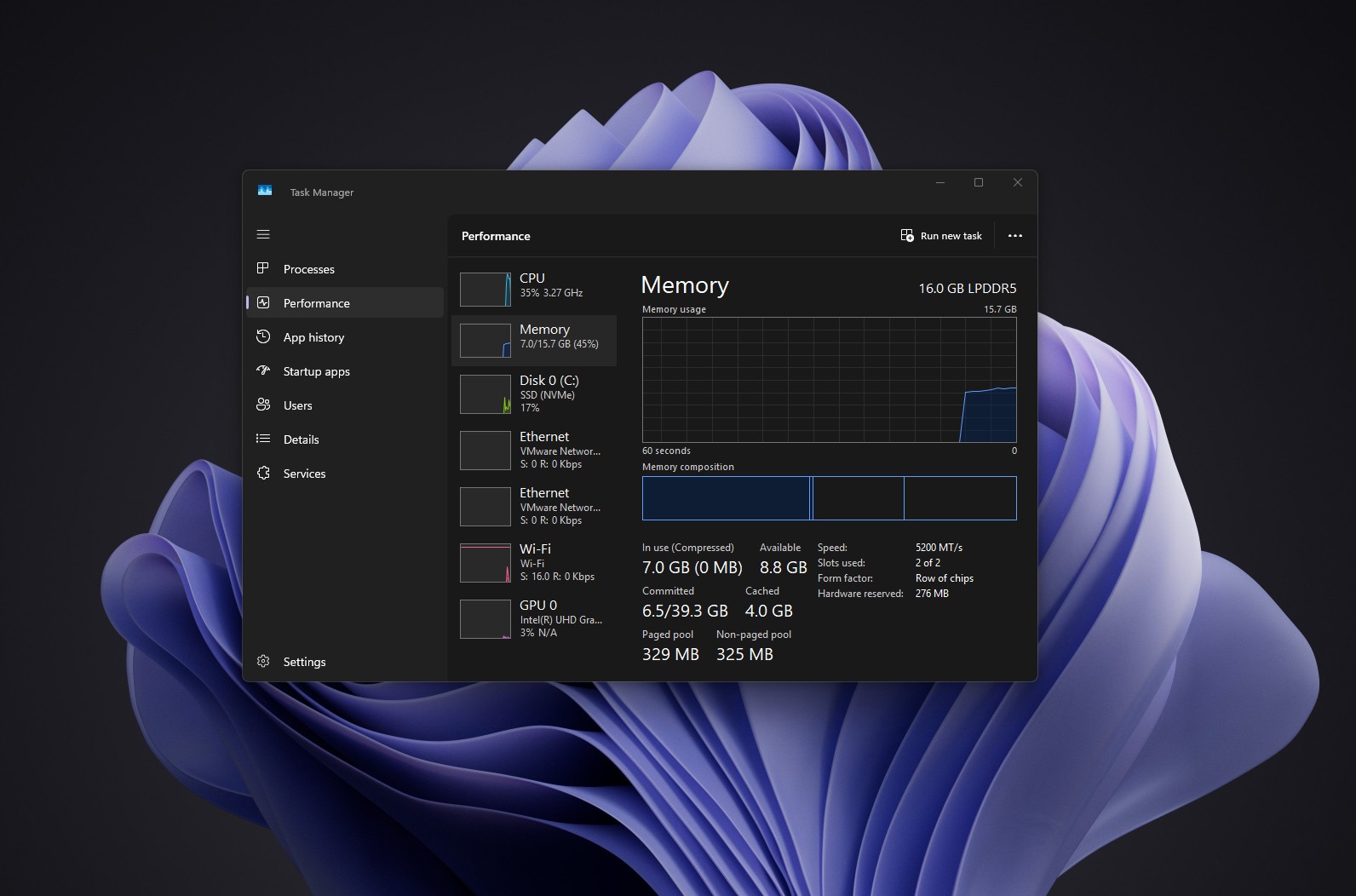
Windows 11 version 26H2 introduced an unexpected enhancement that Microsoft surprisingly elected not to advertise. Following the installation of this update, numerous users have observed a precipitous decline in RAM consumption often between 2 and 3 GB. Concurrently, applications, the Start menu, and the search function launch with significantly increased alacrity. However, this purported reduction in memory consumption is currently substantiated only by isolated benchmarks and anecdotal reports; therefore, guaranteeing this specific outcome across all hardware configurations remains premature.
Analyzing the Memory Efficiency Claims
In one documented test, a laptop equipped with 16 GB of memory occupied merely 7 GB post-reboot, a stark contrast to its previous 10 GB baseline. Another user operating a workstation boasting 48 GB of RAM reported a precipitous drop in consumption from 6.9 GB to approximately 4.85 GB. Similarly, a system configured with 32 GB demonstrated a reduction from 9.1 GB down to 7.5 GB. Intriguingly, a machine constrained to 8 GB of memory exhibited virtually no discernible difference.
Microsoft conspicuously omitted any declaration regarding diminished memory consumption within the official 26H2 release notes. It is crucial to acknowledge that Task Manager metrics are profoundly influenced by background processes, system caching, application versions, and the immediate post-reboot state of the operating system. Consequently, attributing a multi-gigabyte efficiency gain exclusively to the novel Windows iteration remains speculative. Furthermore, the Windows architecture inherently endeavors to utilize available RAM for caching purposes, dynamically liberating memory precisely when applications demand it. Thus, a lower baseline consumption figure immediately following boot does not unequivocally prove a radical architectural overhaul of the memory management subsystem.
The Mechanics Behind the Interface Acceleration
Regarding the palpable acceleration of the user interface, the situation is considerably more transparent. Microsoft previously formalized these enhancements within the May KB5089573 update, explicitly proclaiming accelerated launch times for applications, the Start menu, Windows Search, and the Action Center. A pivotal mechanism driving this acceleration is the “Low Latency Profile” feature. This sophisticated function momentarily elevates processor performance strictly during direct user interaction. Historically, Microsoft deployed these optimizations in a phased, gradual manner, resulting in scenarios where identical Windows builds exhibited disparate behavioral characteristics.
Fundamentally, Windows 11 26H2 amalgamates and crystallizes the cumulative enhancements developed over recent months into a singular, cohesive release. Microsoft officially dispatched the update on September 29, distributing it as a compact activation package for compatible hardware. Because versions 24H2, 25H2, and 26H2 all leverage an identical servicing foundation, myriad components of the new iteration were already dormant upon users’ computers, merely awaiting formal activation.
Consequently, the transition to 26H2 may feel significantly more profound than the relatively unassuming roster of officially announced novelties would suggest. This performance dividend should be particularly conspicuous on less potent hardware architectures, where application launch latency is significantly more pronounced.
Support Our Threat Intelligence
If you find our technology report and cybersecurity news helpful, consider supporting our work.
 Buy Me a Coffee
PayPal
Buy Me a Coffee
PayPal


