Apple Container Machines Bring Linux to Mac
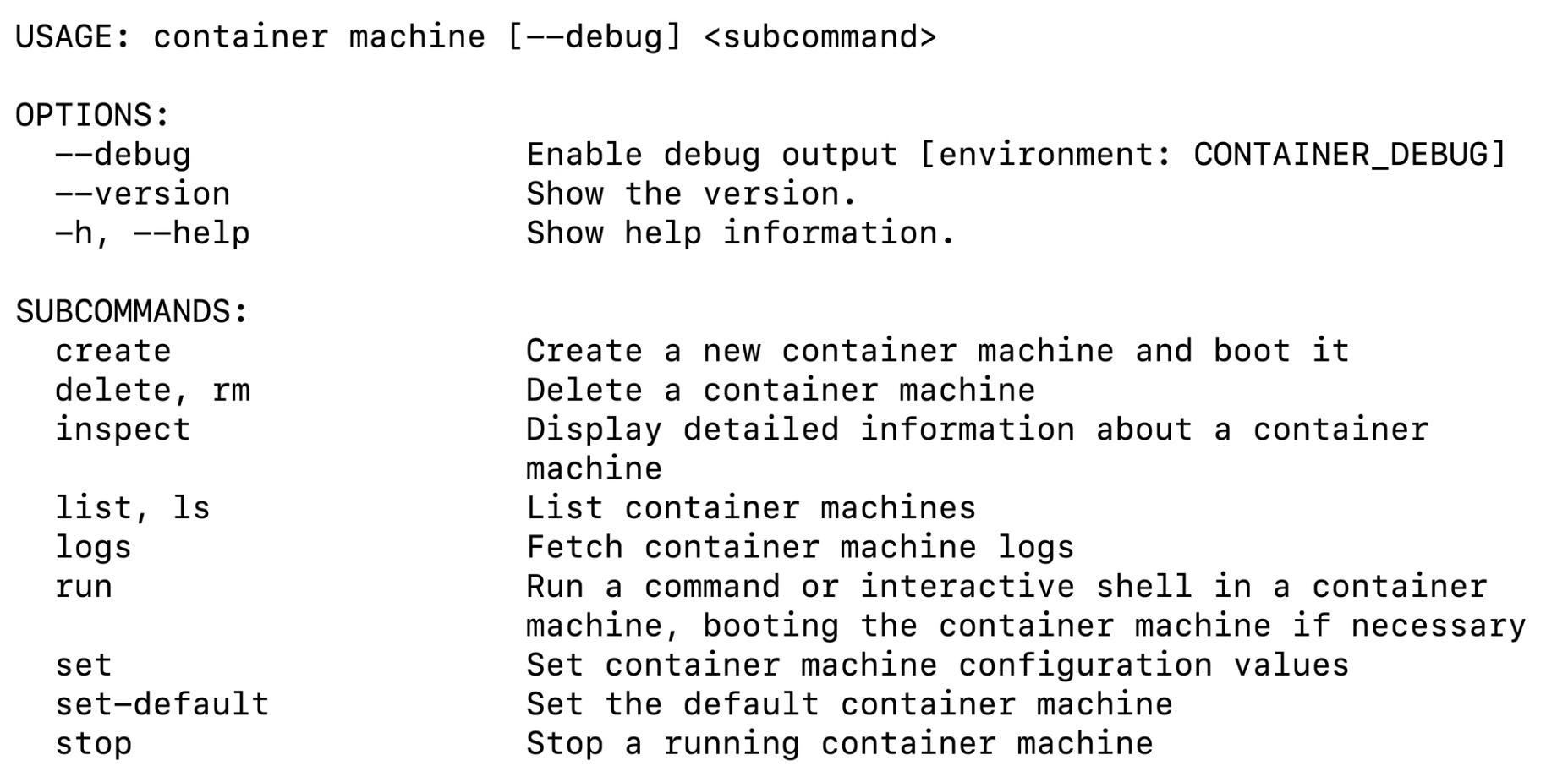
Apple wants to make life easier for developers who write code on a Mac but deploy their finished applications to Linux. At WWDC, the company introduced container machines. These are persistent Linux virtual machines that recall the Windows Subsystem for Linux, yet they were built specifically for macOS.
A Familiar Problem for Developers
Many developers know this challenge well. A workstation typically runs macOS, while the server environment where the application eventually lands almost always runs Linux. This mismatch between development and production environments creates extra configuration steps, compatibility issues, and unwelcome surprises. Although macOS and Linux share Unix roots, the two systems still differ in important ways.
An Extension of the Container Project
Container machines build on the Container project, which Apple first previewed at WWDC the previous year. This year’s conference brought version 1.0, and container machines arrived alongside it. The project relies on standard Open Container Initiative images, yet it runs both ordinary containers and the new container machines inside lightweight virtual machines. As a result, the Linux environment gains stronger isolation from the core macOS system. The WWDC 2026 session on the Container project covers these details in full.
Open Source, Built on Swift
Apple wrote the project in Swift and published the source code on GitHub under the Apache 2.0 license. It builds on another open-source Apple package called Containerization. For now, the tool feels more like a developer project than a fully integrated part of macOS, since it lives on GitHub rather than shipping inside the operating system itself. Only macOS 26 supports it at this time.
Getting Started With Container Machines
Once installed, developers can run the command container machine run to open a terminal inside a standard Linux machine. Alternatively, a single command, such as container machine run uname -a, executes directly within the Linux environment while the user remains inside their macOS shell.
However, some limitations apply. The container machine create command only works with images that include the /sbin/init system initialization program. Since many container images are built around a single application, they often lack this component. In that case, developers need to build a custom image using a Dockerfile, and Apple’s documentation already includes examples showing how.
Testing It in Practice
The author of the original report tested the tool firsthand. They created a container machine based on Ubuntu 24.04 with a full Swift toolchain, connected to it from Visual Studio Code on macOS, built a project inside Linux, and ran the result back on the Mac side. Debugging Swift code, however, did not work perfectly, since breakpoints failed to trigger. A .NET project, by contrast, debugged correctly without issues.
File Sharing and Security Tradeoffs
By default, a container machine mounts the macOS user’s home folder with both read and write access. This setup proves convenient for developers, since files and code remain accessible from both sides instantly. From a security standpoint, though, this default raises questions. A malicious package installed inside the Linux environment could theoretically reach sensitive files, including SSH keys stored in the .ssh folder. Developers can adjust this behavior using the –home-mount parameter, and the safest configuration disables home folder access entirely.
Memory Management Still Needs Work
Memory allocation comes with its own quirks. By default, a container machine claims half of the system’s total memory, though it consumes resources only as needed. During testing, the system allocated 32GB, yet after starting the virtual machine and running PostgreSQL, actual usage came to roughly 1GB. The real issue lies elsewhere: macOS does not reclaim that allocated memory while the machine keeps running. Restarting the virtual machine remains the only way to free it up.
No Graphical Linux Apps Yet
Running graphical Linux applications is not currently part of this project. On Windows, WSL can launch graphical apps through X11 or Wayland. Apple’s current solution instead points users toward installing XQuartz and connecting it over the network between the container and the host system, though no built-in support exists yet.
Competing With an Established Ecosystem
Mac developers already have plenty of options for running Linux containers and virtual machines, including Docker, Podman, Colima, UTM, VirtualBox, OrbStack, and remote Linux servers accessed over SSH. As a result, Apple still needs to prove that its own container tools can stand as a serious alternative. Early impressions, however, look promising. The system runs quickly and feels lightweight, even though documentation, feature coverage, and memory handling all still need refinement.
Support Our Threat Intelligence
If you find our technology report and cybersecurity news helpful, consider supporting our work.
 Buy Me a Coffee
PayPal
Buy Me a Coffee
PayPal


