Restoring Autonomy: Microsoft to Enable Context Menu Customization in Windows 11
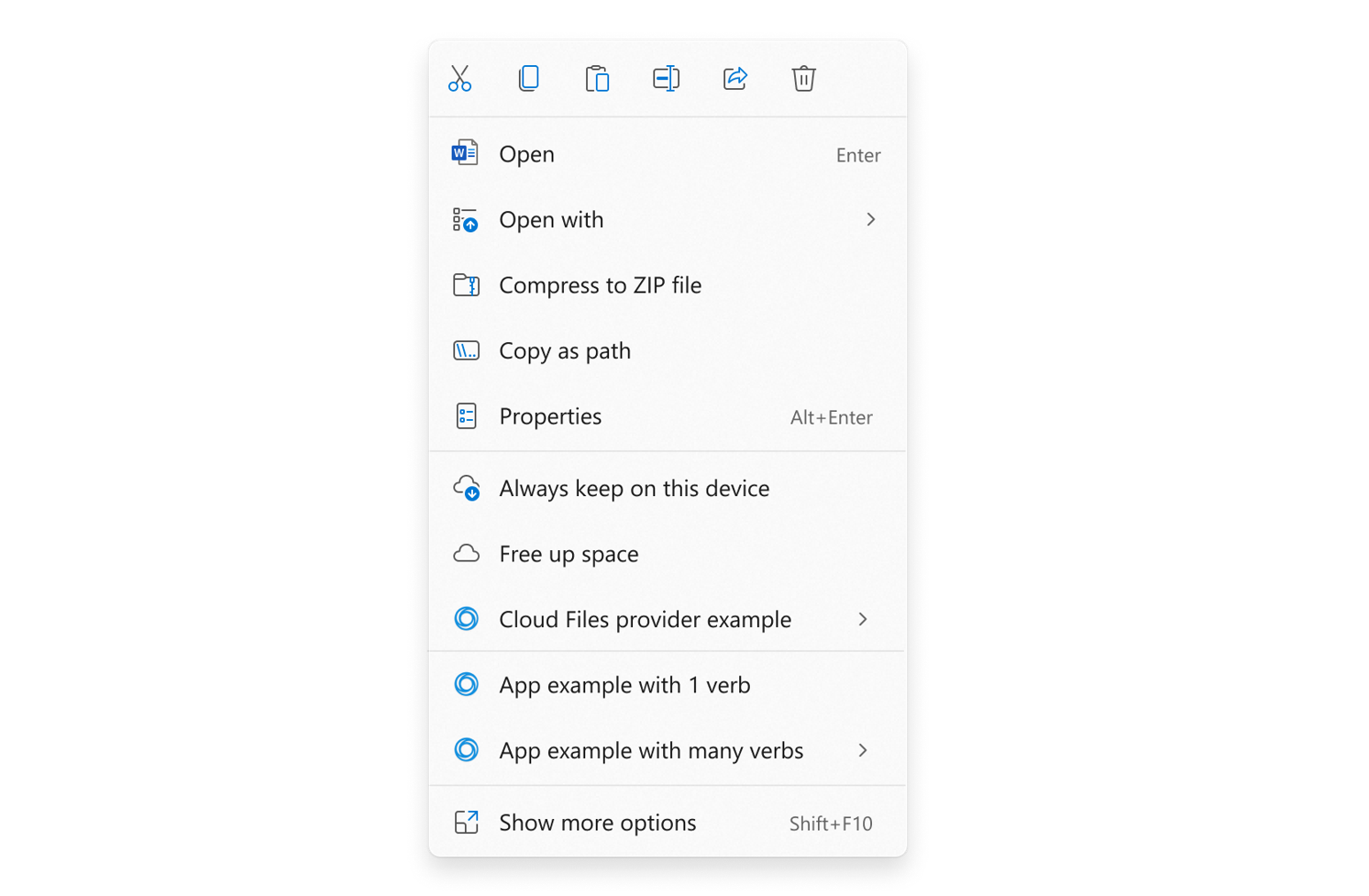
The Windows 11 right-click context menu has long frustrated users. Although aesthetically refined, the interface lacks practical efficiency. Fortunately, Microsoft finally acknowledged this structural flaw. Developers are currently engineering a solution to grant users complete configuration autonomy. Consequently, operators can soon eliminate redundant choices and preserve their most critical commands.
Insights from Design Leadership
Architectural Goals for the Interface
Marcus Ash, the head of Windows design and user research, announced these forthcoming adjustments. According to his dispatches, Microsoft intends to accelerate menu rendering times. Furthermore, the default interface will embrace a much simpler aesthetic. Crucially, the system will dynamically adapt to individual user behavior. The corporation promises to unveil comprehensive technical details in the near future.
Tracing the Evolution of Interface Clutter
The Legacy of Windows 10
The Windows 11 context menu emerged as a deliberate attempt to remedy legacy design flaws. In previous operating systems, this interface expanded haphazardly over several years. Third-party applications continuously injected custom actions without central oversight. Therefore, vital tools like copying or cutting frequently drifted far from the mouse pointer.
The Modernization Strategy
To resolve this, Microsoft modernized the workspace with rounded corners and refined visual geometry. Engineers grouped related commands together logically. Additionally, they promised that common actions would reside closest to the initial click coordinates. Legacy items did not disappear entirely. Instead, developers relegated them to the secondary “Show more options” toggle.
The Disconnect Between Aesthetics and Utility
Evaluating Present-Day Friction
In practice, this redesign failed to solve the fundamental UX problem. The panel certainly appears neater at first glance. However, the asset consumes excessive screen real estate. Generous padding makes the Windows 11 menu feel bulkier than its legacy predecessor.
The Reliance on Third-Party Utilities
Consequently, frustrated users frequently deploy third-party software to restore the classic Windows 10 interface. This workaround succeeds temporarily. Yet, it represents a fragile patch rather than a genuine system solution. Providing native customization options will successfully eliminate user dependence on external software utilities.
A Broader Shift Toward System Flexibility
Additional Operating System Revisions
The context menu is not the sole component receiving a flexibility upgrade. For instance, Microsoft recently restored variable taskbar positioning. Engineers are also testing a compact Start menu alongside toggleable interface modules. Even the heavily criticized “Recommended” feed is undergoing a comprehensive rebranding to grant users superior display authority.
Empirical Conclusions for Everyday Workflows
These systemic revisions demonstrate a clear corporate pivot. Microsoft is actively transforming Windows 11 into a user-controlled platform rather than a rigid environment. For standard operators, personalizing the right-click menu represents a modest yet profound workflow improvement. Ultimately, reducing visual clutter accelerates task execution and minimizes daily digital fatigue.
Support Our Threat Intelligence
If you find our technology report and cybersecurity news helpful, consider supporting our work.
 Buy Me a Coffee
PayPal
Buy Me a Coffee
PayPal


