Power VPN Free VPN for Encrypted Browsing on a Windows Desktop
Public Wi-Fi remains one of the easiest places to get burned. Session hijacking, ARP spoofing on flat networks, DNS interception at the router level: none of these need a sophisticated attacker, just an unencrypted connection and patience. A VPN tunnel doesn’t fix every problem, but it takes the most common network-level attacks off the table.
Power VPN Free VPN, published under the name PowerVPN, sits in the Tools category on Android and does exactly one job: it builds an encrypted tunnel from your device to a remote server, then routes your traffic through it. The listing pitches a single-tap connect flow, over 30 server locations worldwide, and no bandwidth cap.
What Power VPN Free VPN Puts Behind One Tap
The interface is deliberately thin. You open the app, pick a country or let it choose, and connect. There’s no config file to import, no protocol dropdown to second-guess.
The server network spans more than 30 locations, which matters less for raw speed than for geography. If you want your traffic egressing from a specific jurisdiction, you have options.
Torrents, P2P, and file sharing are permitted on the service, which is unusual for a free tier. Many free VPNs block P2P ports outright to keep their bandwidth bills down.
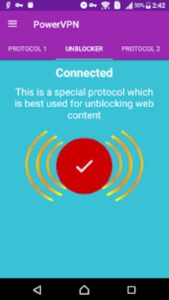
The app also advertises unblocking for sites and services that get filtered on restrictive networks: Netflix, YouTube, Twitter, Facebook, Viber, Skype, WhatsApp. On a corporate or campus network, those blocks are usually enforced at the DNS or firewall layer, and an encrypted tunnel routes around them by design.
Power VPN states a no-logs policy. That claim is worth reading carefully with any free provider, since a no-logs stance is a policy commitment rather than a technical guarantee, and free services have to cover infrastructure costs somehow. If your threat model involves a determined adversary with legal reach, a free tier is not the tool.
Who Reaches for a Tool Like This
Three groups, mostly.
- Travelers and remote workers connecting through hotel, airport, and cafe networks where you have no idea who else is on the segment
- Users in regions with aggressive content filtering who need access to ordinary communication apps
- People on ISPs that throttle or inspect P2P traffic and want that activity inside a tunnel
- Anyone who wants a basic encryption layer without setting up WireGuard or OpenVPN by hand
What it isn’t: a replacement for endpoint security. A VPN protects data in transit. It does nothing about malware already on the machine, credential reuse, or a phishing page you typed your password into. Treating a VPN as full-spectrum protection is a common and expensive mistake.
Running Power VPN on Windows
Power VPN ships as an Android app, so on a desktop it runs inside an Android environment such as BlueStacks, which lets you keep the tunnel active on the machine where you actually do your browsing and downloading.
That’s the practical argument for a desktop setup. Your torrent client, your browser with fifty tabs, your work files: those live on the PC, not the phone. Tunneling the device that generates the traffic is the point.
Watch the Network Mode
One snag that trips people up: Android emulators default to a NAT-style bridge, and an in-emulator VPN only covers traffic from apps running inside that emulator, not your Windows browser. If you expected system-wide coverage and your host traffic is still going out unencrypted, a walkthrough for Power VPN for PC is a reasonable place to check how the network layer is wired before you assume the tunnel is broken.
Also worth knowing: some emulators need virtualization features that conflict with Windows Hyper-V. If the VPN connects but throughput collapses, that’s usually the culprit rather than the server.
Practical Notes Before You Rely On It
Test for leaks. Connect, then check your visible IP and DNS resolvers from inside the same environment the app is running in. If DNS queries are still resolving through your ISP, the tunnel is incomplete regardless of what the app’s status screen says.
Expect variable speed. Free servers are shared, and a location that’s fast in the morning can be congested by evening. Having 30+ options helps you route around the worst of it.
Don’t stack it with sensitive logins on the same session if you’re unsure about the provider. For banking or work SSO, a network you control is still the better choice.
For a traveler who wants encrypted transit on untrusted Wi-Fi and unrestricted P2P without paying for it, Power VPN Free VPN on a Windows desktop covers that ground. For anyone whose risk profile includes targeted surveillance, it’s a convenience layer, not a defense.


