The Legacy Phantom: How Demised Internet Explorer Components Fuel Modern Windows Exploits
Internet Explorer has formally faded into technological obsolescence. However, its legacy architecture still compromises modern Windows applications. Recently, a security researcher demonstrated a series of devastating exploit chains. Specifically, these vulnerabilities weaponize the native WebBrowser component, ActiveX controls, and localized file handling procedures. Consequently, an unsuspecting user executing a simple click or a drag-and-drop action can unwittingly trigger remote code execution.
The WebBrowser Control Ingestion Vector
This systemic vulnerability originates from the legacy WebBrowser control. Because it relies heavily on the ancient Internet Explorer engine, the component remains widely embedded within Visual Basic, .NET, and C# environments. Historically, software engineers utilized this asset to render web content inside desktop applications. Unfortunately, this integration inadvertently introduces archaic Internet Explorer security paradigms, obsolete ActiveX configurations, and permissive access zones directly into contemporary operating systems.
Localhost Privilege Elevation
The investigator initiated his research by auditing desktop applications for Cross-Site Scripting (XSS) exposures. During this process, he observed highly anomalous behavior while executing JavaScript via the local loopback address. Crucially, pages originating from http://localhost inherited significantly higher privileges than standard internet domains.
Therefore, the local webpage successfully opened arbitrary files using Server Message Block (SMB) protocols and absolute local paths. Ultimately, the local loopback address functioned as an unauthenticated bridge connecting web interfaces to the underlying filesystem.
Evading the Mark of the Web
Subsequently, the attack trajectory escalated into a far more dangerous phase. Nominally, Internet Explorer prevents automated file writing without explicit user confirmation. To bypass this restriction, the legacy engine seamlessly launched Microsoft Edge by invoking a customized microsoft-edge:http://site URI scheme.
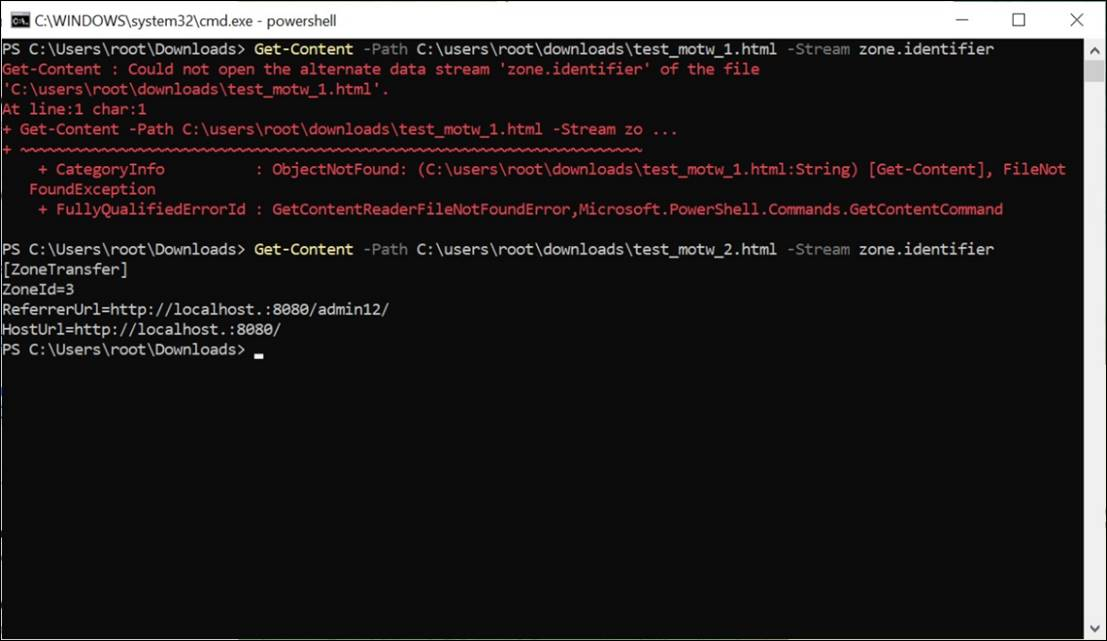
The modern browser then automatically deposited the payload into the local downloads directory. Furthermore, files obtained via the local loopback address completely evaded the traditional “Mark of the Web” (MOTW) designation. Because Windows relies on this metadata label to enforce security warnings, its absence neutralized core defensive layers.
Executing Arbitrary System Commands
One specific exploit sequence successfully achieved remote code execution by leveraging the native WScript.Shell environment. Initially, the technique requires an active XSS vulnerability within a local desktop application. Next, the adversary triggers malicious JavaScript via the privileged local loopback address.
This process forces the system to download an unlabelled HTML file. Once the target opens this compromised asset, the attacker executes arbitrary system utilities, such as calc.exe, following minor user compliance.
Exploiting Application Handlers and Protocol Leaks
Furthermore, the researcher uncovered several alternative exploitation methods. For example, Internet Explorer easily instantiated external utilities associated with specific file extensions. These applications included Notepad, Windows Media Player, Visio, Java, and Adobe Acrobat.
Additionally, the system successfully parsed malicious XAML and ClickOnce handlers. Threat actors could even induce NTLM credential leakage by crafting Windows Media Player playlists pointing to remote SMB shares. Similarly, local MHT archives lacking proper web marking bypassed the Same-Origin Policy to run scripts on behalf of arbitrary domains.
UI Redirection: Clickjacking and Drag-and-Drop Exploitation
The most extraordinary facet of this research involves sophisticated clickjacking and drag-and-drop manipulation. Specifically, Internet Explorer could render local directories, remote SMB shares, or raw ZIP archives inside an invisible iframe. The malicious webpage subsequently rendered this frame completely transparent and locked it directly beneath the user’s cursor.
Consequently, while individuals believed they were navigating a benign interface, they were actually interacting with hidden file elements. In one notable configuration, a basic double-click anywhere on the viewport sufficed to execute arbitrary commands.
Weaponizing Desktop Shortcuts
Instead of simple clicking, another chain weaponized manual file movement onto a crafted .lnk shortcut. When a user executed this drag-and-drop routine, the operating system bypassed both the web marking validation and standard warning prompts.
Alternatively, perpetrators could drop a deceptive shortcut directly onto the user’s desktop workspace. This malicious pointer featured authentic naming conventions and legitimate system icons. Thus, it successfully mimicked a standard file folder or an innocuous system utility to deceive the operator.
Architectural Conclusions
Microsoft officially neutralized the primary vulnerability allowing local file access via local loopback JavaScript in September 2024. Nevertheless, the author emphasizes that these attack vectors represent structural traits of an obsolete platform rather than an isolated code defect.
If a desktop application harbors an active XSS vulnerability, the lingering capabilities of the WebBrowser component remain highly dangerous. Ultimately, defenders must recognize that these archaic subsystems can still elevate minor web flaws into catastrophic system compromises.
Support Our Threat Intelligence
If you find our technology report and cybersecurity news helpful, consider supporting our work.
 Buy Me a Coffee
PayPal
Buy Me a Coffee
PayPal


