Fake Perplexity Chrome Extension Hijacks Search
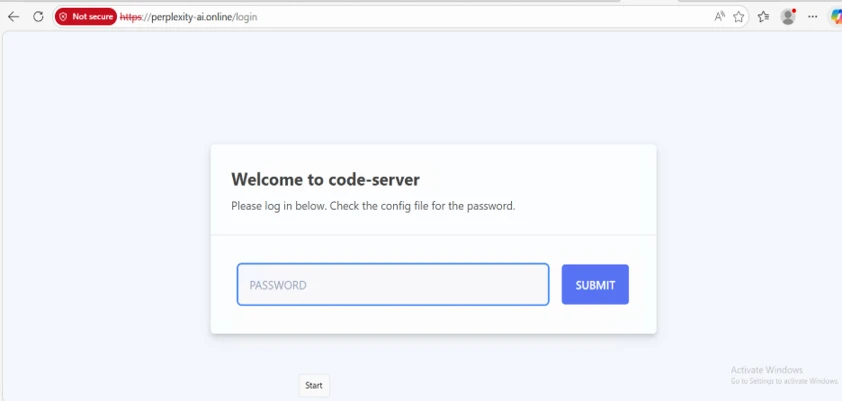
A browser search bar often looks safe. A bad Chrome extension, though, can turn it into a data trap before any results even show up. Microsoft recently found an extension called “Search for perplexity ai.” It posed as the real Perplexity service. It also hijacked search terms and address bar input.
A Fake Perplexity Extension
The extension used a lookalike domain, perplexity-ai[.]online, instead of the real perplexity.ai. Once installed, it set itself as the default search engine. When a user typed a query, the browser first sent that data to the attacker’s server. That server stored the query, the IP address, browser headers, and user agent details.
The Riskiest Part: Address Bar Capture
Address bar suggestions turned out to be the riskiest part of this scheme. The extension sent more than finished search terms to that same domain. It also grabbed characters a person typed before pressing Enter. As a result, attackers could collect half-typed input, including typos and draft phrases never meant to be sent.
Redirecting to Real Results to Stay Hidden
After that step, the extension sent users on to real results on Perplexity, Google, or Bing. So the search still looked normal. The data grab happened at a middle stage, before the user reached a real service. That timing made the trick easy to miss.
What Microsoft Defender Found
Microsoft Defender researchers found no proof of password theft. Still, they flagged the extension for asking unusually broad permissions for a basic search tool. The code also held disabled redirect rules for Google and Bing. Someone could turn those rules on later. On top of that, the extension kept the power to run WebAssembly code.
Google Removes the Extension
Google pulled the extension from its store after a responsible disclosure report. Microsoft didn’t name who built the scheme. The company also didn’t say how many users installed “Search for perplexity ai” before its removal. Per Microsoft, this case fits a wider trend. Bad actors increasingly use interest in AI tools to reach user data.
What Users and Organizations Should Do
Anyone who installed “Search for perplexity ai” should remove it right away. Users should also check their default search engine setting in Chrome. For companies, Microsoft suggests allowing only approved extensions. Teams should watch for changes to search settings, odd permission requests, and links to unknown domains. Extra care also helps when checking the maker and web address behind any AI-branded tool.
Support Our Threat Intelligence
If you find our technology report and cybersecurity news helpful, consider supporting our work.
 Buy Me a Coffee
PayPal
Buy Me a Coffee
PayPal


