LnkMeMaybe: .NET 8 toolkit for creating and analysing Windows Shell Link (.lnk) files
LnkMeMaybe
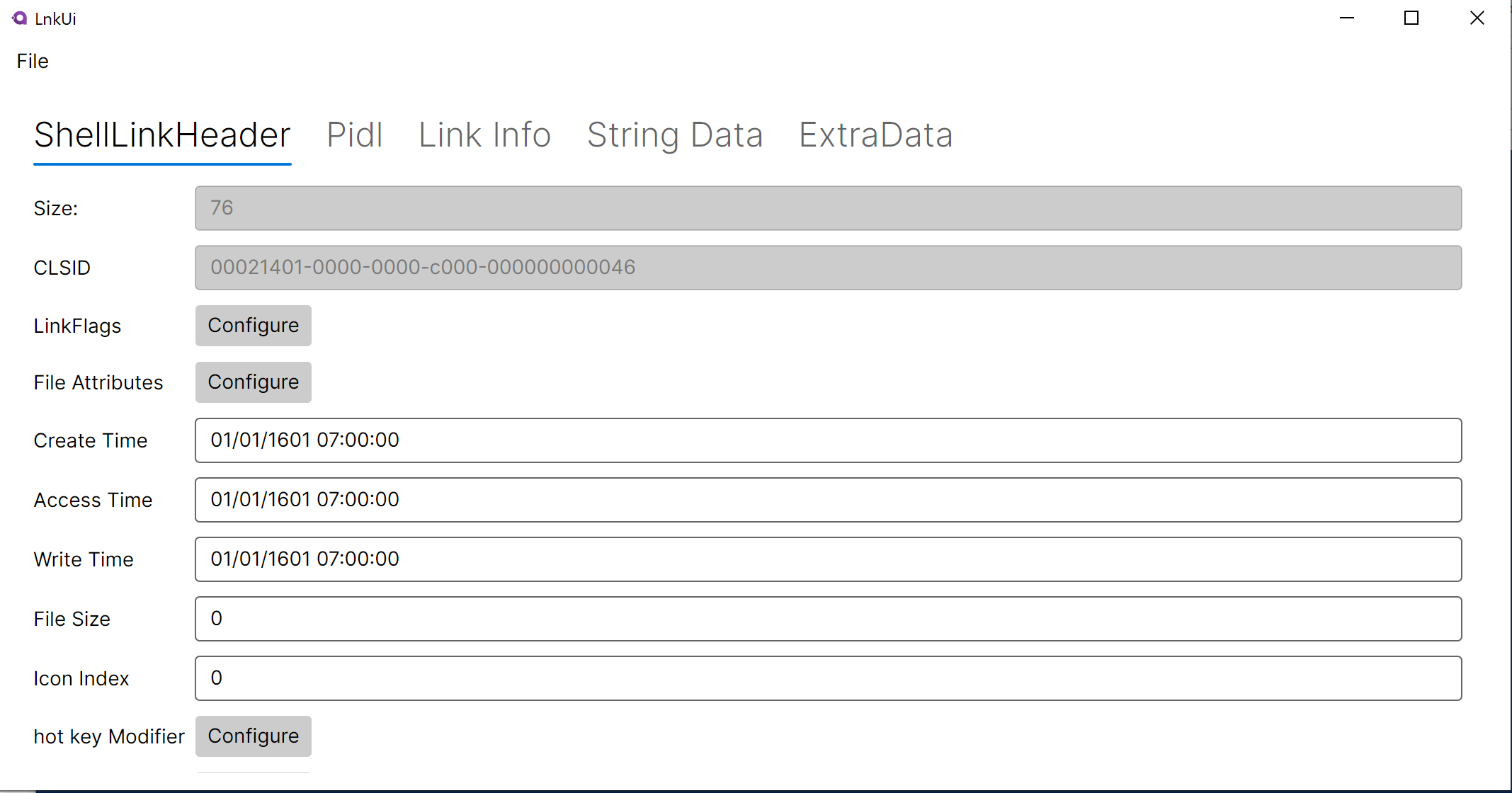
A .NET 8 toolkit for creating and analysing Windows Shell Link (.lnk) files. Includes a command-line builder (LnkMeMaybe) and a graphical editor (LnkUi). Intended for security research and penetration testing.
Projects
| Project | Description |
|---|---|
Lnk/ |
Core library. Parses and generates .lnk binary format per the MS-SHLLINK spec. LnkHandler is the main entry point, composing ShellLinkHeader, LinkTargetIDList, LinkInfo, StringData, and ExtraData. |
LnkMeMaybe/ |
CLI tool. Commands for generating a variety of .lnk files. Uses the Titanis.Cli framework. |
LnkUi/ |
Avalonia 11 MVVM desktop editor. Seven ViewModels wrap the corresponding Lnk library components. Useful for manual exploration and inspection of .lnk files. |
LnkTests/ |
MSTest suite. Real .lnk file samples are embedded as resources. Covers ShellLinkHeader and LinkInfo. |
All commands share the following base parameters (from BaseSavedCommand):
| Parameter | Alias | Required | Description |
|---|---|---|---|
--OutputPath |
Yes | Filesystem path to write the .lnk file. |
|
--Overwrite |
No | Allow overwriting an existing file at OutputPath. |
|
--DisplayName |
No | Text shown when hovering over the shortcut. Supports \n for newlines. |
|
--IconPath / -I |
-I |
No | Path to an .exe or .dll to use as the shortcut icon. Must exist on the target system. |
--IconIndex |
No | Icon resource index within the file specified by --IconPath. Default: 0. |
Creates a .lnk that triggers Kerberos (falling back to NTLM) authentication to a specified server. The .lnk does not execute anything.
Scenarios where authentication is triggered:
- A user browses to the share containing the
.lnk— the user’s account authenticates outbound. - The
.lnkis placed in a location the machine is configured to index —SearchProtocolHostauthenticates as SYSTEM. - MSSense is running and the location is not exempt —
MSSense.exeauthenticates as SYSTEM.
Parameters:
| Parameter | Alias | Required | Description |
|---|---|---|---|
--FakePath / -F |
-F |
Yes | Path displayed as the target in the .lnk properties. |
--Server / -S |
-S |
Yes | Server hostname, IP, or UNC path to send authentication to. Appends IPC$ if no share is specified. |
--Darwin |
No | Darwin identifier stored in the .lnk. Can be any value. Default: unset. |
Creates a .lnk file that points to a web URL. Normally Windows creates a .url file for web shortcuts; this command produces a .lnk instead.
Parameters:
| Parameter | Required | Description |
|---|---|---|
--Url |
Yes | The URL the shortcut should point to. Must be a well-formed absolute URI. |
Creates a standard Windows shortcut to a local file or folder. The target path is stored as a shell item ID list (PIDL) — the native format Windows uses for filesystem shortcuts.
Parameters:
| Parameter | Alias | Required | Description |
|---|---|---|---|
--TargetPath |
Yes | Absolute path to the target file or folder. | |
--Arguments |
No | Command-line arguments to pass to the target. | |
--WorkingDirectory |
-W |
No | Working directory for the target process. |
--RunAsAdmin |
No | Request UAC elevation when the shortcut is launched. | |
--ShowCommand |
No | Window state on launch: Normal, Maximized, or Minimized. |
Creates a .lnk where the target path is stored as an expandable environment-variable string (EnvironmentVariableDataBlock). This is the format Windows uses for shortcuts to system executables (e.g. %SystemRoot%\system32\notepad.exe). Variables are expanded at launch time, making the shortcut portable across Windows installations.
Parameters:
| Parameter | Alias | Required | Description |
|---|---|---|---|
--TargetPath |
Yes | Target path, may include environment variables such as %SystemRoot% or %USERPROFILE%. |
|
--Arguments |
No | Command-line arguments to pass to the target. | |
--WorkingDirectory |
-W |
No | Working directory for the target process. |
--RunAsAdmin |
No | Request UAC elevation when the shortcut is launched. | |
--ShowCommand |
No | Window state on launch: Normal, Maximized, or Minimized. |
Download & Use
Support Our Threat Intelligence
If you find our technology report and cybersecurity news helpful, consider supporting our work.
 Buy Me a Coffee
PayPal
Buy Me a Coffee
PayPal


