ClickLock Malware: A Deceptive Trap for macOS Users
A mundane password prompt can swiftly transform your macOS desktop into a perilous snare. Specifically, a novel malicious program named ClickLock completely paralyzes the operating system. It persistently halts all functionality until the owner surrenders their vital credentials. According to threat intelligence experts at Group-IB, this insidious software has compromised at least one hundred targets. Furthermore, these victims span across thirty-three distinct countries since May. Consequently, over half of these targeted individuals reside within Europe.
The Illusive ClickFix Infection Vector
Researchers have not yet definitively established the precise method of initial infection. Cybersecurity specialists successfully retrieved the entire sequence of malicious files. However, they failed to uncover the original deceptive bait websites. Structurally, the ClickLock script aligns closely with the notorious ClickFix methodology. Initially, the scheme coerces the user into pasting a specific command into the Terminal. Fraudsters disguise this malicious action as a routine Cloudflare security verification. Immediately afterward, a counterfeit system dialog box materializes displaying the victim’s genuine account name.
Validating Stolen Credentials
The operating system itself authenticates the submitted password. Therefore, the assailants ensure they exclusively receive perfectly functional login data. If a vigilant user dismisses this deceptive window, the script merely pivots its strategy. It silently generates two distinct LaunchAgent files before terminating its initial run. Subsequently, utter chaos erupts upon the user’s next system login attempt. Crucial applications begin crashing repeatedly every 210 milliseconds. Specifically, the Finder, Dock, Spotlight, Terminal, Activity Monitor, and all web browsers forcefully terminate.
Persistent Lockouts and Data Theft
Meanwhile, the relentless password request remains permanently anchored upon the desktop. Simultaneously, a covert background process relentlessly hammers the Keychain every half-second. It aggressively seeks the highly coveted Chrome Safe Storage key. Consequently, this furious activity triggers legitimate system confirmation prompts. Some of these malicious execution cycles can persist uninterrupted for nearly 35 days. Furthermore, the malware temporarily disables the NotificationCenter to obscure vital Gatekeeper security warnings.
Plundering Digital Vaults
Upon capturing the password, ClickLock ruthlessly harvests a vast array of sensitive information. It swiftly extracts Keychain data, saved browser passwords, and authentication cookies. Additionally, the malware plunders cryptocurrency wallet files and specialized password manager repositories. It even steals Terminal command histories and FTP credentials from FileZilla. Ultimately, the stolen Chrome Safe Storage key proves exceptionally dangerous. It allows the attacker to effortlessly decrypt the pilfered data on their remote machine.
Covert Backdoors and Evasion Tactics
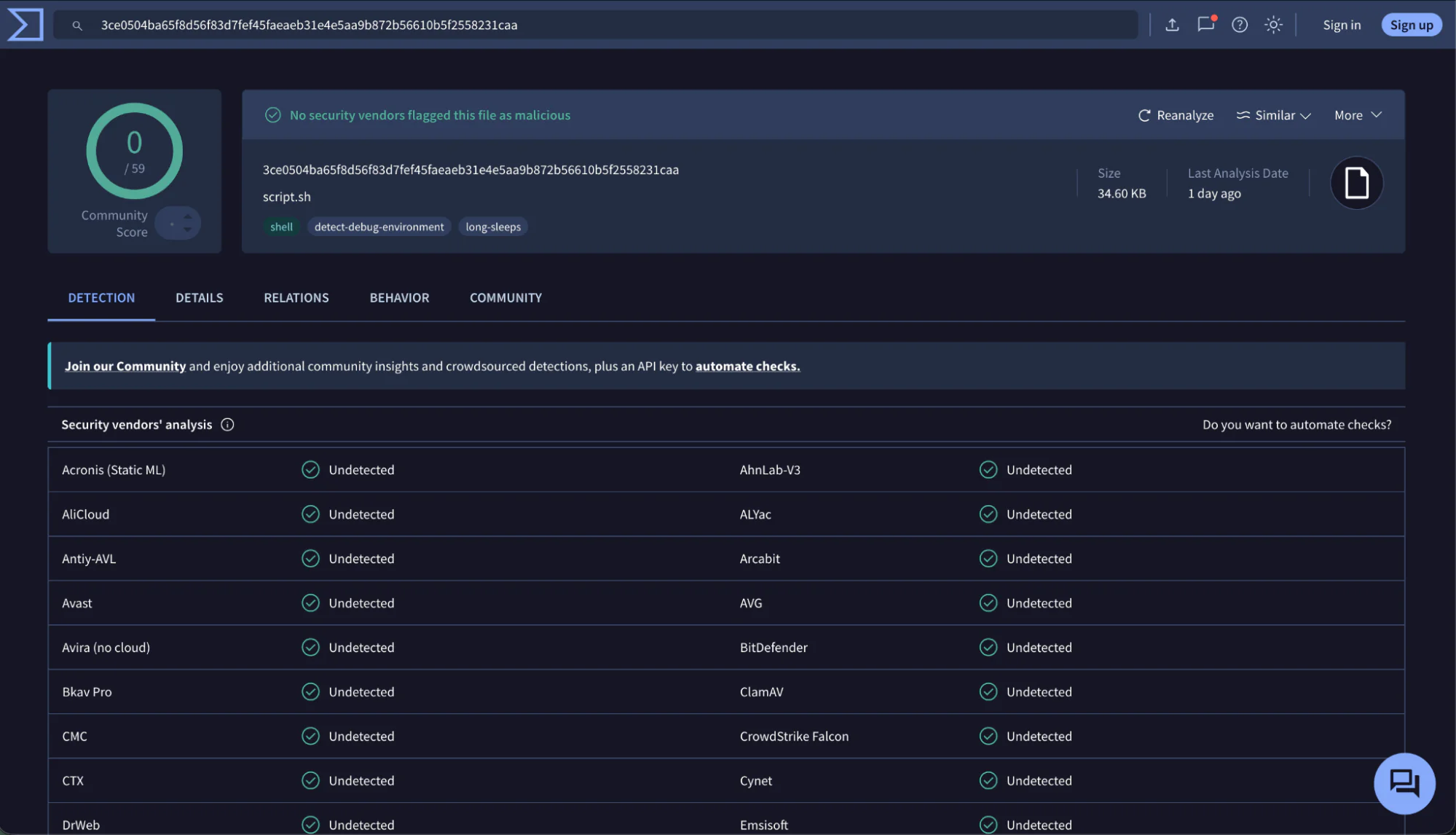
Furthermore, the program establishes a stealthy reverse communication channel utilizing GSocket technology. It cunningly disguises the primary payload file as a benign iCloud component. Similarly, it masks the active running process under the deceptive name “SystemUIServerl”. The core executable modules actively delete various forensic traces following the initial compromise. Nevertheless, this clandestine communication channel stubbornly persists within the infected machine. Shockingly, zero antivirus engines on VirusTotal successfully identified the primary control script. This alarming evasion occurred during the initial analysis phase in early June.
Defensive Measures and Remediation
Group-IB currently classifies ClickLock as an actively evolving, unfinished digital weapon. The latest macOS 26.4 does issue stern warnings regarding suspicious Terminal pastes. However, it still permits users to manually override these protections and execute the commands. Moreover, the operating system natively blocks only previously cataloged and recognized malware threats. Therefore, users must exercise extreme caution during unexpected system behavior. You must absolutely never enter your credentials if applications suddenly crash alongside a password prompt.
Emergency Response Steps
Experts strongly advise executing a forced hardware shutdown of the compromised Mac. Afterward, you should immediately boot the machine into safe mode. You must systematically revoke all active browser sessions and change every saved password. Consequently, you must consider all cookies, wallet keys, and cryptographic secrets fully compromised. Finally, administrators should rigorously inspect the system for anomalous files. Specifically, hunt for suspicious artifacts residing within the iCloudsync directory and terminate any “SystemUIServerl” process.
Support Our Threat Intelligence
If you find our technology report and cybersecurity news helpful, consider supporting our work.
 Buy Me a Coffee
PayPal
Buy Me a Coffee
PayPal


