Tag: Windows 10 v1903

  • Microsoft officially ends support for Windows 10 v1903

    The Windows 10 v1903 version released in the spring of 2019 has reached its deadline, and Microsoft today released the final cumulative security update to this version.

    This version officially ends with immediate effect and no longer provides any security updates or feature updates. Even if known security vulnerabilities are discovered later, it will not continue to be repaired.

    Users of this version please upgrade to the subsequent supported version as soon as possible. If you still use the discontinued version and cannot fix the vulnerability, it will cause security risks.
    Windows 10 mapped network drive

    In addition, based on security considerations, Microsoft has also begun to force an upgrade to this version. Computers running this version will be forced to upgrade to the new version if there are no compatibility issues.

    The Windows 10 v1903 version released in the spring of 2019 is currently ending support, and the consumer series version of this version will end its security support on December 8.

    The consumer version mainly refers to the Home Edition, Home China Edition, Professional Edition, Professional Workstation Edition, and Retail Education Edition. Other versions will not be affected temporarily.

    Enterprise series versions, including enterprise edition and batch education edition, can also get additional support, so it is okay for enterprises and educational institutions not to upgrade temporarily.

    Enterprise administrators can also upgrade to other supported versions instead of the latest version according to the actual needs of the enterprise, so as not to affect the use of employees due to stability issues.

  • Microsoft began to force the Windows 10 v1903 users to be upgraded to a new version

    Windows 10 v1809 is about to end its support. The extended support for this version will end on November 10, 2020. However, it is not only this version that will end support, because the life cycle of Windows 10 v1903 will end soon on December 8, 2020.

    After the end of support, Microsoft will not provide any security updates even if known vulnerabilities are discovered, so users should immediately upgrade to a supported version based on security considerations.

    Of course, if you do not take the initiative to upgrade, Microsoft will also force the upgrade. Currently, Microsoft has deployed a strategy on the server to upgrade users of the old version to the latest version.

    The Windows 10 v1909 version released in the spring of 2019 is currently ending support, and the consumer series version of this version will end its security support on December 8.

    Windows Server Insider Preview Build 18945

    The consumer version mainly refers to the Home Edition, Home China Edition, Professional Edition, Professional Workstation Edition, and Retail Education Edition. Other versions will not be affected temporarily.

    Next month, Microsoft will release the final cumulative update to these versions to fix security issues. After that, this version will not receive any security updates unless users upgrade.

    Enterprise series versions, including enterprise edition and batch education edition, can also get additional support, so it is okay for enterprises and educational institutions not to upgrade for the time being.

    Enterprise administrators can also upgrade to other supported versions instead of the latest version according to the actual needs of the enterprise, so as not to affect the use of employees due to stability issues.

    It is worth noting that in order to prevent users from not knowing about the upgrade or forgetting to upgrade, Microsoft has begun to deploy a strategy to force an upgrade to the latest version for consumer versions.

    The so-called forced upgrade means that when the user’s computer is turned on but not in use, the system will automatically download the latest version and pre-deploy it, and the user will install the upgrade next time.

    In principle, users of the Home Edition cannot interfere with this process, but users of the Professional Edition series can actively set to suspend updates or use Group Policy to prohibit updates.

    Of course, in principle, we do not recommend users to block system upgrades. If there is no security update, the vulnerabilities cannot be fixed in time and affect security.

    But if you don’t want to upgrade to the latest version, it’s okay. You can manually download such as Windows 10 v1909 or v2004 to overwrite installation and upgrade.

    The stability of these versions is pretty good at the moment. If you are particularly looking for stability, we recommend that you upgrade to Windows 10 v1909.

    Via: windowslatest

  • Windows 10 v1903 will reach End-of-Support on December 8

    Usually, Microsoft will provide an 18-month support period for the Windows 10 branch version. The main negative impact of the discontinuation of support is that security updates cannot be obtained, even if there are security vulnerabilities, security updates cannot be received, and the daily use of users is more harmful.

    Therefore, Microsoft recommends that all users use the supported Windows 10 version, and the version that is about to end support must also be upgraded as soon as possible to avoid malicious exploitation of the vulnerability.

    The support for Windows 10 v1903 is about to end, and Microsoft has announced that it will stop supporting the consumer version of this version on December 8, 2020.

    The announcement stated that Windows 10 v1903 consumer version is about to end support as planned, and users should complete the upgrade as soon as possible before ending support to ensure safe use.

    The so-called consumer version refers to the retail professional version, professional workstation version, education version.

    The above versions will stop supporting on December 8, 2020. The above versions will receive the last security update on that day, and will no longer automatically receive security updates thereafter.

    It is recommended that users upgrade to Windows 10 v1909 or Windows 10 v2004 in time. These versions are currently safe to use during the support period.

    If you are looking for stability, it is recommended to upgrade to Windows 10 v1909. This version has been released for almost one year, and the stability is better than the latest version.

  • Statistics show that the overall market share of Windows 10 v1903 has reached 56.6%

    Despite the stability factors, many users are reluctant to use the latest version of Windows 10, but Microsoft’s automatic push strategy will upgrade many devices. For example, the current market share of Windows 10 Version 1903 released for half a year has reached 56.6% and continues to maintain rapid growth. Of course, the growth rate is very fast and does not mean that the stability of this version is very good. For example, the stability of this version is still relatively poor until now.

    Image: adduplex

    The Windows 10 Version 1909 version is just a small update, there is no new feature, so most users are not particularly concerned about this version. This makes the Windows 10 Version 1903 in the middle of it have high popularity, and Microsoft has recently pushed this version update on a large scale.

  • Microsoft pauses to push Windows 10 v1903 updates to PCs using outdated Qualcomm driver

    According to the known issues in Windows 10 version 1903, Microsoft has suspended the Windows 10 Version 1903 to some PCs which have an outdated Qualcomm driver. The software giant said:

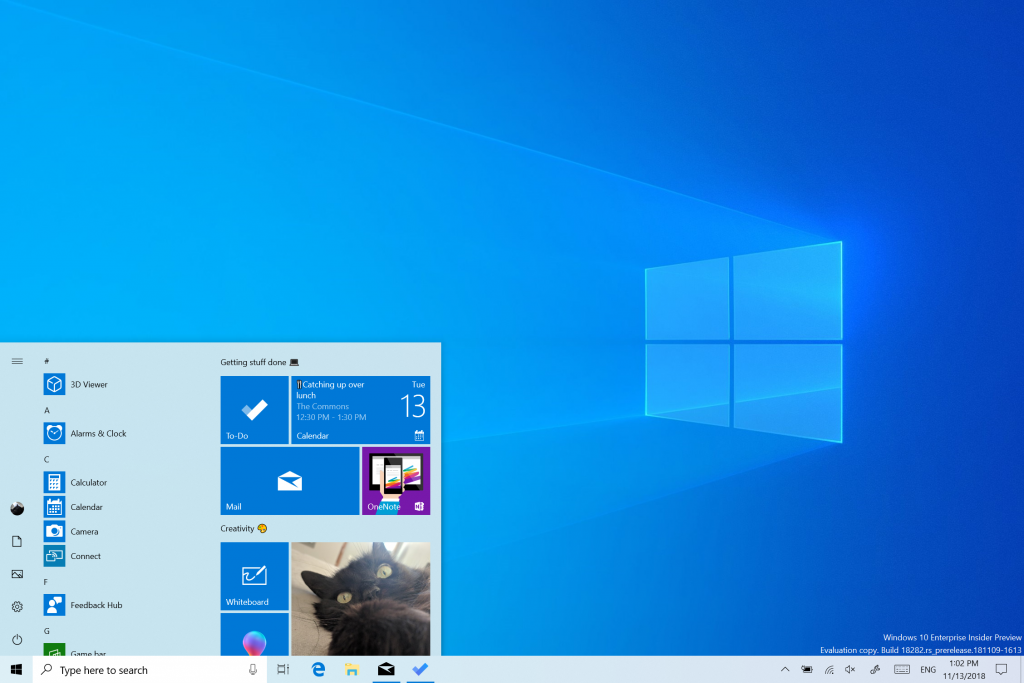
    Windows 10 Insider Preview Build 18282

    “Some older computers may experience loss of Wi-Fi connectivity due to an outdated Qualcomm driver. An updated Wi-Fi driver should be available from your device manufacturer (OEM).
    To safeguard your upgrade experience, we have applied a hold on devices with this Qualcomm driver from being offered Windows 10, version 1903, until the updated driver is installed.”

    Users who can’t wait to use Windows 10 Version 1903 can manually update the Wi-Fi driver on the PC to the latest version, and then try to get the Windows 10 Version 1903 Update via Windows Update.

    “We recommend that you do not attempt to manually update using the Update nowbutton or the Media Creation Tool until a new driver has been installed and the Windows 10, version 1903 feature update has been automatically offered to you.”

  • KB4497935 for Windows 10 v1903 causes MIT Kerberos realms to fail

    According to Microsoft’s description in the update log status page, there is a new known bug in the current cumulative update for Windows 10 Version 1903. This problem can cause the Kerberos domain to fail to connect properly. This is a bug caused by the cumulative update that Microsoft introduced last month. Affected include domain members controlled by the Kerberos domain and domain control devices. Simply put, this protocol is completely unusable.

    Windows Server Insider Preview Build 18945

    According to Microsoft’s announcement, this problem cannot be completely fixed. Microsoft wrote:

    To safeguard your update experience, we have applied a compatibility hold on devices configured to use MIT Kerberos realm from being offered Windows 10, version 1903 or Windows Server, version 1903.
    Note If you are not sure if your device is affected, contact your administrator. Advanced users can check if this registry key exists HKLM\Software\Microsoft\Windows\CurrentVersion\Policies\System\Kerberos\MitRealms or for “Define interoperable Kerberos v5 realm settings” policy under Computer Configuration -> Policies -> Administrative Templates > System -> Kerberos.
  • You may get a black screen when using Remote Desktop on Windows 10 v1903

    Some users reported that Windows 10 Version 1903 has image distortion and inaccurate color display, especially on outdated displays driven by outdated graphics cards. Now, in the Microsoft community and the Feedback Hub, there are black screen problems when users use Microsoft Remote Desktop.

    Remote Desktop Protocol

    In the Microsoft Answer community post, several users reported that Windows 10 Version 1903 had a black screen problem in the Remote Desktop Protocol window. This problem mainly occurs on Windows 10 devices with outdated graphics cards. One user explained:

    “Same problem here. Old machine with Intel G41 graphics. Remote access with RDP shows black screen, either from LAN or VPN, but mouse and keyboard are ok (I can reboot using the appropriate key sequence).”

    Another user explained:

    “In my case all Intel G41 drivers currently available, from Intel (2009), and from Microsoft (2013), showed black screen with RDP, even though they are Ok with the monitor connected to the PC.”

    In the forum post, Microsoft RDP and WVD project manager Denis Gundarev said that this is due to some of the old graphics drivers in Windows 10 version 1903. He wrote in the post:

    “Display drivers report some of their capabilities upon load. In previous Windows versions this reported data wasn’t used or verified. Because of that, some of the old versions of the legacy display driver may report invalid data and it would be ignored. Starting with Windows 10 1903 RDP uses this data to initialize the session.”

    The Microsoft project manager said the company is fixing the problem, and if it detects a problematic driver, the company is developing a fix that dynamically switches to the software renderer. Microsoft recommends that affected users use Device Manager to update the display driver or disable the driver in question.

    Via: windowslatest

  • Windows 10 Version 1903 causes image distortion and color display is not accurate

    Recently, some user feedback that Windows 10 Version 1903 may cause distortion of the image or incorrect color display on some monitors. If you have such a problem, it is most likely caused by the Windows 10 v1903 update. In the feedback of many questions collected by WindowsLastest, Windows 10 Version 1903 and some GPUs are considered to be compatible, and the ICC configuration file may not work properly for the user. As a result, the image quality is poor, abnormal gradient patterns appear, and weak vertical lines at regular intervals.

    Windows 10 mapped network drive

    This error also affects color accuracy when loading a color profile or calling the Calibration Loader task. In the Reddit community and the NVIDIA Forum, several Windows 10 users have confirmed color distortion issues. A Reddit community user wrote:

    “I’ve been slowly driven insane by a bug for the last few months where my custom ICC profile and the default Windows profile will switch back and forth under certain reproducible conditions.”

    In the support documentation, screen and display manufacturer Eizo has confirmed the bug, confirming that upgrading Windows 10 May 2019 (Version 1903) will affect the screen and display. After the latest feature update from Microsoft, calibration device manufacturer DisplayCal also confirmed color distortion.

    According to DisplayCal, calibration loading may stop working in Windows 10 version 1903. This error affects the Windows internal calibration loader and the third-party calibration loader. Loaders that use the Windows SetDeviceGammaRamp API are also affected.

  • You can upgrade to Windows 10 v1903 via manually check for updates on Windows Update

    Microsoft has just provided Windows 10 May 2019 Updates (version 1903) for all users who manually check for updates on Windows Update. Mike Ybarra, vice president of project management for Microsoft Xbox, announced on Twitter that all users can download Windows 10 version 1903, which refers to users who manually check for updates in the Settings app.

    The launch of Windows 10 May 2019 update began last month, but Microsoft took a more cautious approach to reduce the likelihood of bugs a large number of devices. “We will begin availability for those users on a currently supported version of Windows 10 who seek to update via “Download and install now” (limited to devices with no known compatibility issues). We will also begin the phased rollout using our ML model to intelligently target those devices running Windows 10, version 1803 or prior versions that our data and feedback predict will have the best update experience,” Microsoft said in April when announcing the May update.

    After a month of testing, Microsoft believes that there should be no problem. From today, everyone running Windows 10 can download the May 2019 update by manually checking the update via Settings > Updates and Security > Windows Update > Check for Updates.

    Via: Softpedia

  • Microsoft is gradually pushing Windows 10 v1903 official version from now on

    After several months of testing, Microsoft currently believes that the official version of Windows 10 version 1903 can be pushed and downloaded to the user. This version was originally scheduled to be released last month. However, Microsoft decided to postpone the push after considering the potential problems. According to the plan, it will start to push in batches at the end of this month. Microsoft said the company has received positive data and feedback from a longer preview period.

    Microsoft said that it will only introduce new versions of Windows 10 to some devices and users, and users must manually click to check for updates before they can receive Windows 10 v1903 update. When the check update receives a new version, the user can click the download and install button. At the same time, Microsoft also said that the company will continue to carefully monitor data and feedback through gradual batch push to ensure that the new version does not have potential major issues.

    Finally, Microsoft also mentioned that it is expected that the company will begin to provide the latest version to users of Windows 10 Version 1803 from next month. Because the old version of the consumer version has gradually come to the end of the life cycle, Microsoft needs to be the first to push updates to the old version of the user to ensure a smooth transition.