According to previous news, Microsoft will rush to release the Surface Duo dual-screen device before Samsung releases the Galaxy Fold 2 folding screen phone (August 5). Recently, lead communications for Microsoft, Frank X. Shaw warm up the upcoming Surface Duo.
Frank X. Shaw posted a few photos of his own baked pastry on Twitter. The focus of the photo is not on the baking technology, it’s the Surface Duo that appears in the photo.
How it starts. Check back in an hour or so! pic.twitter.com/g9BkMh55c6
— Frank X. Shaw (@fxshaw) July 9, 2020
The left screen of the Surface Duo in the photo is all the notebook pages of OneNote, and the right side is the recipe of the pastry that this executive is making. The application display logic of Surface Duo is similar to that of a traditional tablet computer. 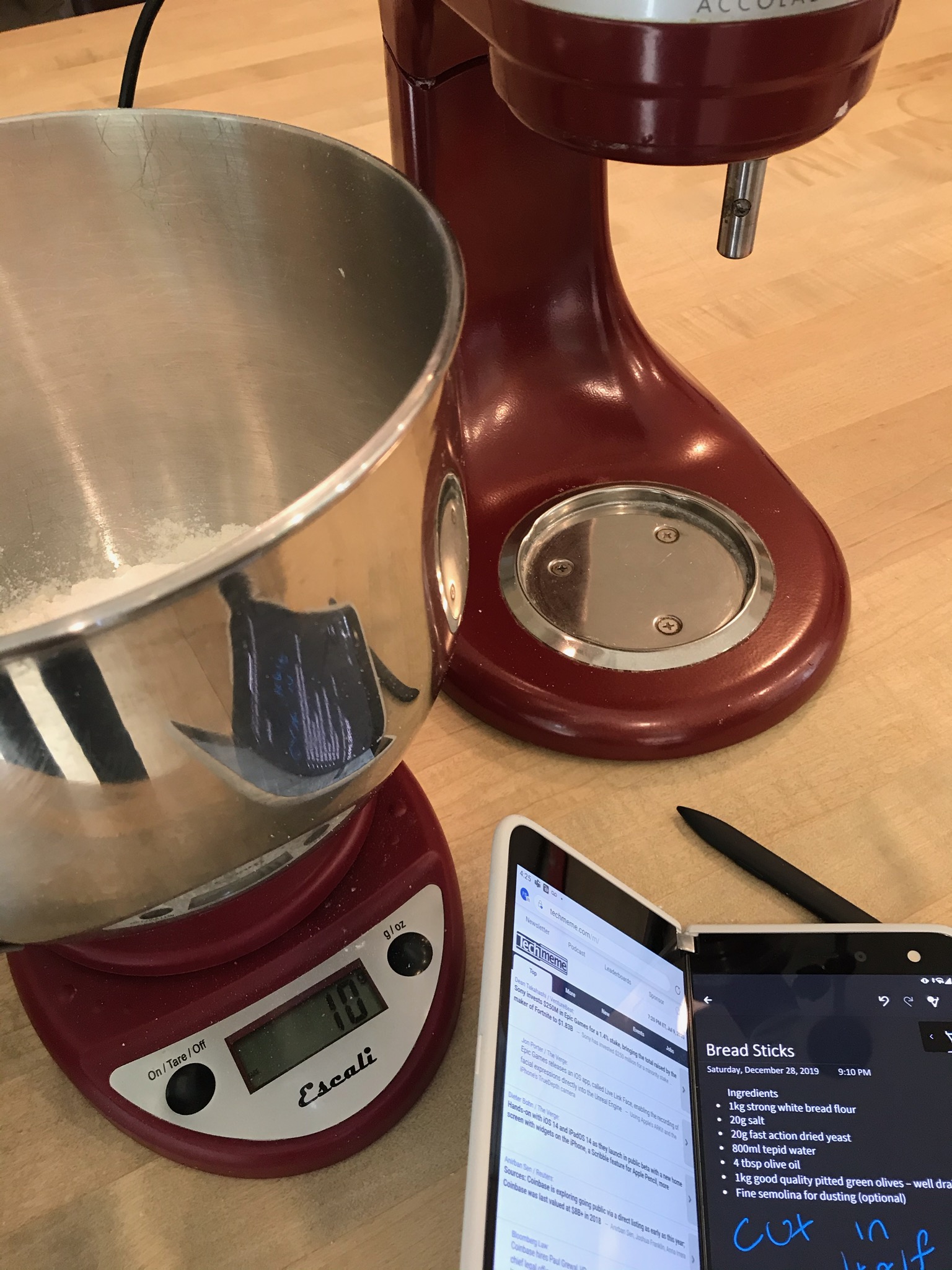
The most striking thing in the photo is not the Surface Duo body, but the Surface Pro X stylus similar to the Surface Duo, and there are traces of this pen on the Note page of the Surface Duo. Therefore, it can be seen that the Surface Duo supports a stylus.
Microsoft did not say at the press conference last year whether the Surface Duo will support the stylus, but in view of this photo, I believe that Microsoft may bundle it with the stylus, but this will increase the price of the product, after all, there have been reports that the Surface Duo’s starting price will reach $1,000.
