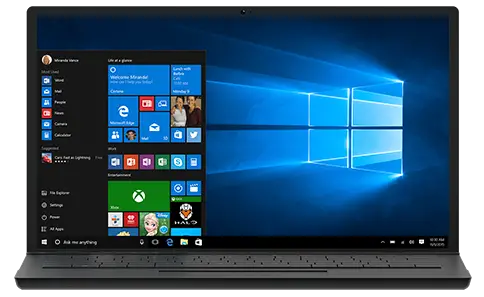
The highly anticipated Windows 10 October 2018 (Build 17663.1) update is finally available today, and users can install it through the Windows Update, Update Assistant and Media Creation tools.
The Windows 10 October update is somewhat similar to the April update, and the upgrade in new features is not unusually large, but it is also one of the hallmarks of the Windows ecosystem becoming mature. In the October update, the flashy features and theme names no longer exist, and existing features continue to grow, especially regarding cross-device experience.
Improve the Windows search experience
Microsoft optimised the Windows 10 search experience to provide users with more useful information, both online and local. Also, the company has added a preview panel to display more information based on the user’s search preferences. In local search, users can even get a lot of details including application details. In the search interface, users can fix the application directly to the taskbar or uninstall it.

Explorer Dark theme
Major software vendors have been pushing the Dark theme in recent months. Facebook has implemented Dark mode on Messenger, and Google is also preparing for the same thing for Android and Chrome OS. Currently, Microsoft has not provided the global Dark mode in Windows 10 systems.

The Dark theme setting was previously limited to Universal Windows applications, while traditional Win32 applications like Explorer and Control Panel have not been updated. However, after several versions of the change, Microsoft finally brought a more consistent Dark theme, and finally determined a softer grey tone.
Snip and Sketch tool

Instead of the traditional screenshot tool, Microsoft has brought a new screenshot tool based on the universal Windows Framework. Snip and Sketch will also replace the Windows 10 Screen Sketch tool from the previous Windows Ink tool. This is a more modern screenshot tool that adds Windows Ink and quick sharing options to the traditional screenshot tool.
Cloud clipboard function
The cloud clipboard function is one of the new features introduced. It can significantly expand the common copy-and-paste function to achieve copy and paste between different devices. For example, when you copy/cut photos or text content on the PC side, it will be copied in the cloud clipboard, and users can access and use the material on other devices.

Microsoft’s Dona Sarkar explained: “The scrapbooking history is roaming, using the same technology as Timeline and Sets, meaning that users can access your clipboard on any PC device in the current version and later.”
Your Phone

For Windows 10 users who use Android phones, Microsoft’s recently launched Your Phone is a very good interactive app that can make the connection between the two platforms more compact and the user’s cross-platform operation becomes more convenient. It can drag and drop images directly between PC and Android phones and allows users to synchronise information on both platforms. After connecting through Microsoft’s secure cloud technology, you can instantly send and receive information on the mobile terminal on the PC.
Tip: How to download Windows 10 October 2018 Update ISO image file
- Use google chrome, go to https://www.microsoft.com/en-us/software-download/windows10
- Press F12 button and then press Ctrl+Shift+M button
- Press the F5 button
- Enjoy!